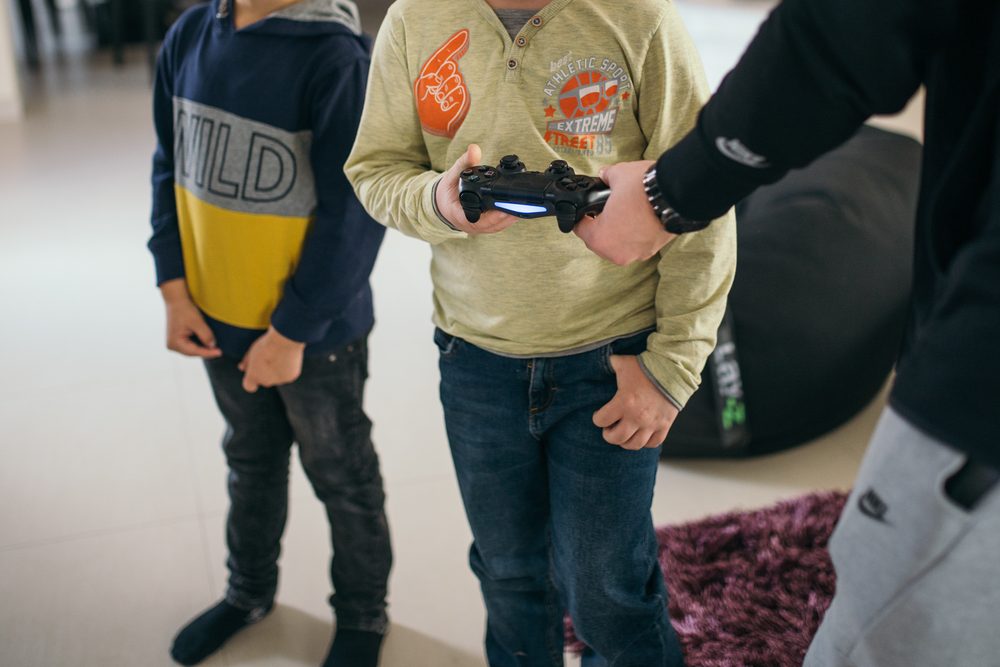
Photo by Shixart1985 / Wikimedia Commons (CC BY 2.0)
A Duolingo alternative for kids is any tool that teaches vocabulary and language skills to children without treating them as an afterthought. That matters more than it sounds, because Duolingo's standard account requires users to be 13 or older, and children younger than that need a parent's email just to sign up, then lose access to leaderboards and friends once they're in. For families with younger children, that usually means either Duolingo's separate ABC app for early reading, a dedicated kids' app like Lingokids, or a language-teaching game like Noun Town, which has no ads or chat to worry about in the first place.
Short answer: For foreign-language vocabulary with no ads and no subscription, Noun Town is $19.99 once, covering 12 languages, on PC and Mac via Steam. For free early reading in English, Duolingo's own ABC app works well for ages 3 to 8. For a broader early-learning subscription covering language alongside maths and other subjects, Lingokids runs around $90 a year. Most families pick based on the child's age and whether they want a one-time cost or an ongoing subscription.
The main Duolingo app was not designed with young children as the primary user. Its terms of service set the standard account minimum at 13, which lines up with the US Children's Online Privacy Protection Act (COPPA). A child under 13 isn't locked out entirely, but a parent has to supply an email address to verify consent, and the resulting account has social features like leaderboards and friend lists switched off. None of this makes the app unsafe, but it does mean a lot of what makes Duolingo Duolingo, the streaks, the leagues, the friendly competition, is designed around teenagers and adults rather than a seven year old learning their first words in Spanish.
Then there's the freemium model itself. Free Duolingo accounts see ads between lessons and hit a wall of "hearts" that run out after a few mistakes, nudging users toward a paid Super subscription. That kind of friction is a normal, even reasonable business model for a company selling to adults who can make their own decisions about upgrading. It is a different conversation when the person hitting the paywall is eight years old and doesn't really understand why the app just stopped letting them play.
Screen time is the other piece parents raise a lot. A streak-based app is built to be opened every single day, which is exactly the kind of daily-habit design that plenty of parents are trying to manage more carefully rather than reinforce. None of this makes Duolingo a bad app. It just explains why "Duolingo alternative for kids" is such a commonly searched phrase rather than parents simply handing over the main app and moving on.
Once you start comparing options, a handful of things matter more than flashy features or marketing claims.
Age also changes what "good" looks like. A three year old needs big, simple, forgiving interactions built around sound and repetition, which is closer to what Lingokids or Duolingo ABC offer. A child who already reads comfortably and enjoys exploring a game world can get real value from something built more like Noun Town, where vocabulary is attached to objects and characters in a 3D open world rather than delivered through a lesson screen.
None of these solve exactly the same problem, so the right one depends on the child in front of you.
Noun Town sits in a slightly different category to the other two. It was not designed exclusively as a children's product the way Lingokids was, but its lack of ads, chat and in-game purchases means it holds up well for families who want a foreign-language tool rather than an early-literacy one, and don't want to manage a recurring subscription.
Instead of a lesson screen, Noun Town drops players into a 3D open world where objects, characters and locations are labelled in the target language, spoken aloud by a native speaker. A child exploring a market might pick up the words for fruit. A conversation with a character in the world might introduce a phrase in context rather than as an isolated flashcard.
Underneath that sits a spaced repetition system that quietly schedules review of words right before they're likely to be forgotten, plus speech recognition so a child can practise saying words aloud and get feedback on pronunciation. None of this requires an internet connection to other players, there's no chat window, and nothing in the game nudges anyone toward spending more money once the initial purchase is made.
The game covers 12 languages: Japanese, Korean, Mandarin Chinese, Spanish (Spain and Mexico), French, German, Italian, Russian, Greek, Egyptian Arabic and English. It runs on PC and Mac through Steam, with a free demo available so a family can try it with their child before deciding to buy.
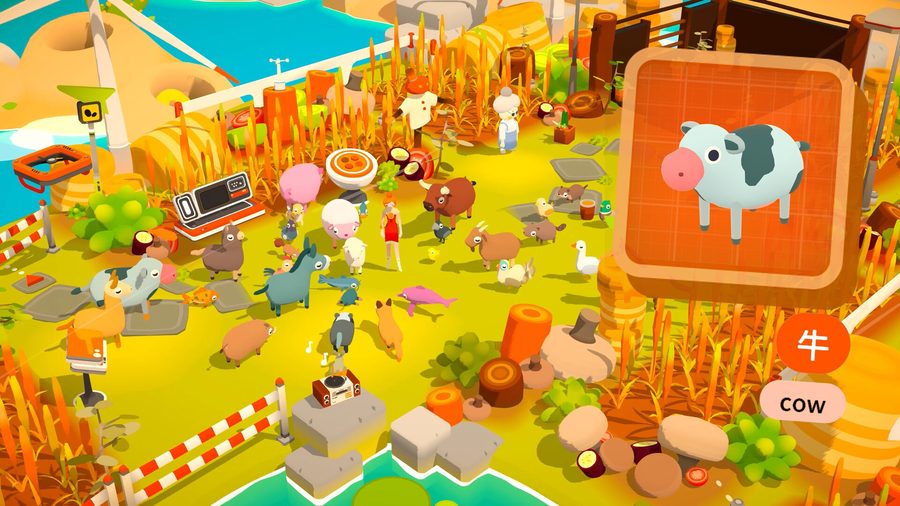
Screenshot from the Noun Town Steam store page, showing a contextual vocabulary scene
There's no single rule that fits every household, but plenty of pediatric and education bodies land somewhere similar: shorter, more frequent sessions tend to work better for younger children than one long stretch, with a common suggestion sitting somewhere around 20 to 40 minutes at a time for structured screen-based learning. Beyond the specific number, what matters more in practice is having natural stopping points, so a session doesn't end mid-lesson with a child arguing for five more minutes.
A 3D game world lends itself well to this. A child can wrap up after finishing a market stall, a conversation, or a review session, rather than being cut off partway through a fixed lesson structure the way some apps are built. It's a small thing, but it changes how a session actually ends in most households, calmer rather than negotiated.
Parents who want to stay involved without hovering over every session tend to check in during the review moments, since the spaced repetition system surfaces exactly what a child has been struggling with. It's an easy, low-pressure way to ask "what does this one mean again?" without turning it into a test.
Noun Town is a single $19.99 purchase that covers every child in the household and all 12 languages, with nothing to renew and no per-child licensing to think about. Lingokids runs around $90 a year per subscription. Duolingo's Super Family plan, which allows up to six accounts, has been priced somewhere in the region of $120 to $144 a year depending on the market and any current promotions, since Duolingo doesn't publish one fixed global price.
Stretched across a year or two, and especially across more than one child, the gap between a one-time purchase and a recurring family subscription adds up. That pricing approach wasn't an accident on Noun Town's side. The team behind it had used major mobile language apps themselves, found the ad breaks and paywalled lesson tiers genuinely frustrating, and heard the identical complaint from thousands of other learners before deciding to sell the game outright instead, with all 12 languages included from day one.
None of this means the subscription options are bad value. Lingokids in particular covers a lot more ground than just language, with maths, science and early literacy content bundled in, which can make more sense for a family that wants one app covering several subjects for a younger child. It comes down to what you're actually trying to solve.
See how the vocabulary system works with the free demo on Steam.
Try Noun Town on SteamIt depends on the child's age and what you want them to get out of it. For a 3 to 8 year old who is still learning to read, Duolingo's own free ABC app covers early literacy well. For a child old enough to explore a game world independently, Noun Town teaches vocabulary through a 3D world with no ads and no in-game purchases, for a one-time $19.99 on Steam. Lingokids is a broader early-learning subscription covering language alongside maths and science for ages 2 to 8.
Duolingo's standard account requires users to be 13 or older, in line with COPPA rules in the US. Children under 13 can still use it, but only with a parent's email address to verify consent, and their accounts lose access to social features like leaderboards and adding friends. It is not unsafe exactly, but it is built for teens and adults first, with younger children treated as a special case rather than the main audience.
Yes, though it was not built as a dedicated kids' product the way Lingokids or Duolingo ABC were. Noun Town has no ads, no in-game purchases, no chat and no social features to worry about, so many families use it with children who are comfortable reading on screen or playing alongside a parent. It runs on PC and Mac via Steam, with a free demo to try before buying.
Duolingo ABC is free and teaches early reading skills in English to children roughly aged 3 to 8, with no ads and no in-app purchases. It is not a foreign language app in the way Duolingo's main app or Noun Town are, so it solves a different problem. For a genuinely free foreign-language option built for kids, options are limited, which is part of why paid, one-time-purchase tools like Noun Town appeal to parents who don't want an ongoing subscription.
Noun Town is a single $19.99 purchase on Steam that covers all 12 supported languages, with no extra cost per child or per language and nothing to renew. Compare that with Duolingo's Super Family plan, which runs somewhere in the region of $120 to $144 a year for up to six accounts, or Lingokids, which costs around $90 a year per subscription.
There's no single number that fits every child, but many pediatric and education bodies suggest keeping structured screen-based learning sessions to somewhere between 20 and 40 minutes for younger children, with breaks in between. A 3D game world like Noun Town naturally splits into shorter exploration sessions, so parents can end a session at a scene or shop rather than mid-lesson.
There is no official minimum age listed for Noun Town, since it wasn't designed as a kids' product specifically. Because it has no chat, no online multiplayer and no purchases beyond the initial one, most parents judge suitability by reading level and comfort with a keyboard or controller rather than a strict age cutoff. Younger children tend to do well playing alongside a parent for the first few sessions.
No. There are no adverts anywhere in Noun Town and nothing extra to buy once you own the game. The team built it this way deliberately, having found the ad breaks and paywalled lesson tiers on major mobile language apps frustrating themselves, and heard the same complaint from thousands of other learners.
Children who can read confidently and are comfortable navigating a 3D game world with a mouse and keyboard or controller can generally play independently. Younger children, or those newer to reading, tend to get more out of it with a parent nearby to help sound out words and talk through what's happening on screen.
Noun Town supports 12 languages: Japanese, Korean, Mandarin Chinese, Spanish (Spain and Mexico), French, German, Italian, Russian, Greek, Egyptian Arabic and English. A child can switch between any of them since all 12 are included in the single purchase.
Further reading: the Children's Online Privacy Protection Act (COPPA) from the US Federal Trade Commission explains the rules behind the under-13 account restrictions mentioned above. Background on how children acquire vocabulary through context is covered on the language acquisition Wikipedia page. The review method used by Noun Town is explained on the spaced repetition Wikipedia page.
← Back to blog