

Photo: Shixart1985 / Wikimedia Commons (CC BY 2.0)
Steam refunds let you get your money back on a game you bought through Valve's store, no questions asked, as long as you request it within 14 days of purchase and have played less than 2 hours. That single rule covers most refund requests on Steam, runs automatically through an online form, and needs no explanation or back and forth with support. The details shift slightly for DLC, bundles, and games bought before release, all covered below alongside the exact steps for asking for your money back.
Short answer: Steam refunds any game bought within the past 14 days if you've played it for less than 2 hours, no reason required. You request it through Steam's Help site, and approved refunds are usually processed within about a week, either to your original payment method or your Steam Wallet.
Valve's refund policy for Steam is built around two numbers: 14 days and 2 hours. If you bought a game less than two weeks ago and have spent less than two hours playing it, you qualify for a refund, full price, with nothing to explain. This applies to almost everything sold through the Steam store, Noun Town included.
Before Valve introduced this policy in 2015, a Steam purchase was treated more or less like any other digital download: final the moment you clicked buy. The 14-day, 2-hour window changed that, and it's now one of the more generous refund systems attached to digital software, closer to how a physical retailer handles a return than how games were traditionally sold.
The two conditions work together, not separately. Buying a game 13 days ago but playing it for 3 hours puts the purchase outside the window. Playing a game for 1 hour but waiting 20 days to ask does the same thing from the other direction. Both limits have to be satisfied at once for the request to go through automatically.
The process happens entirely through Steam's own support site rather than the store itself, and takes a couple of minutes from start to finish.
Requests made well inside the 14-day, 2-hour window are typically approved within minutes, and the confirmation email often arrives before you've closed the tab.
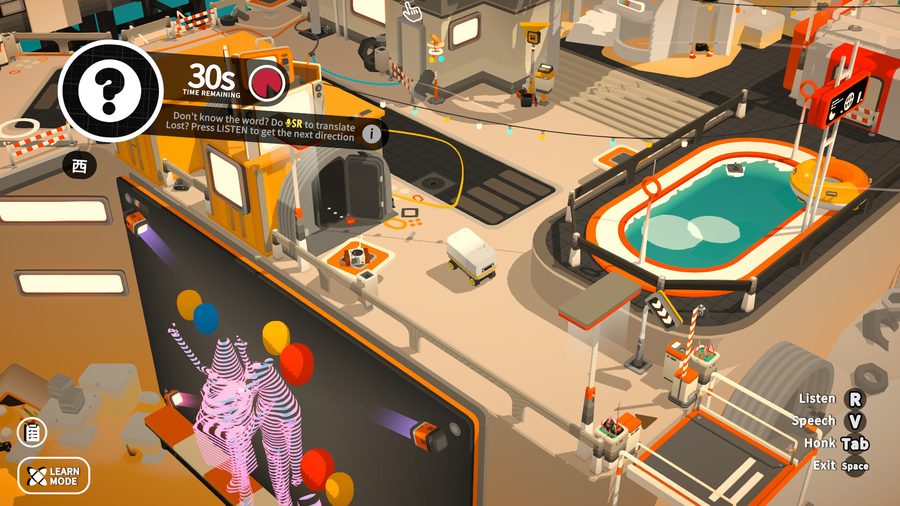
Screenshot from the Noun Town Steam store page, showing one of the game's timed recall challenges
The standard 14-day, 2-hour rule covers most purchases, but a few categories work a little differently. Here's how the main ones break down.
| Purchase type | Refund window | What else matters |
|---|---|---|
| Standard game | 14 days from purchase | Under 2 hours of playtime |
| DLC | 14 days from DLC purchase | Base game under 2 hours playtime since the DLC was bought, and the DLC itself unused |
| In-game purchase (Valve-developed games) | 48 hours from purchase | Item must be unused and untransferred |
| In-game purchase (third-party games) | Varies by developer | Only refundable if the developer enables it, shown at checkout |
| Pre-purchased / Early Access | Any time before release, or 14 days after | Playtime before release counts toward the 2-hour limit if the game is playable early |
| Bundle | 14 days from purchase | Combined playtime across every item under 2 hours, nothing transferred |
That last row trips people up most often. A bundle doesn't give each game its own separate 2-hour allowance, the limit applies to the bundle as a whole, so spending 90 minutes in one game and 45 in another already puts the whole purchase over the line.
Valve states that approved refunds are issued within a week of the request, and in practice many go through faster than that, particularly when you're well inside the standard window. The money can go to two places: your Steam Wallet, or back to the original payment method you used.
Steam Wallet refunds tend to land almost immediately and show up as spendable balance the next time you open the client. Refunds to a card or bank account go through the normal payment processing chain instead, so even once Steam has approved the refund on its end, your bank can take a few extra business days to actually post the credit.
There's no cost either way, Steam doesn't deduct a processing fee from a refund regardless of which option you pick, so the choice really just comes down to whether you'd rather have the money back in your bank or ready to spend on something else on Steam.
The automatic approval only covers requests that fall cleanly inside the 14-day, 2-hour window. Outside of it, a human reviews the request instead of a system approving it on the spot, and the outcome isn't guaranteed.
Valve has historically approved late or over-the-limit requests for games that crash repeatedly, fail to launch at all, or clearly misrepresent their system requirements or content on the store page, since those situations aren't really the player's fault. What tends to get declined is a pattern of buying games, finishing most of the content, and refunding right after, since that starts to look less like trying a game out and more like renting it for free.
Certain items are nonrefundable outright regardless of timing: consumed in-game purchases, some third-party DLC marked as such before purchase, and keys already activated through a different storefront. Steam flags these clearly before you buy, so there's rarely a surprise at refund time if you checked the store page first.
A generous refund window changes how comfortable it feels to try something new. Two hours is enough to get a real sense of most games, including whether a game's teaching method actually clicks if you're buying something educational rather than purely for entertainment.
That's part of why we built Noun Town with a free demo on Steam in the first place, so you can try the actual language learning game before spending anything at all, on top of the refund window covering the full version if you do buy it and it's not the right fit. It's also a one-time $19.99 purchase with no subscription and nothing paywalled off after you own it. We built it that way after using the big mobile language apps ourselves and getting frustrated by the ads and the lesson tiers locked behind a paywall, a complaint we've heard from plenty of other learners since.
Knowing the refund rules upfront also just makes trying new games on Steam lower-risk in general. You're not stuck with a purchase that doesn't match what the store page promised, and you don't need to agonize over every buying decision the way you might with a non-refundable purchase elsewhere.
Want to try before you commit? Noun Town has a free demo on Steam.
Try Noun Town on SteamSteam refunds work automatically through an online request at Steam Help. If you bought the game within the last 14 days and have played it for less than 2 hours, the refund is approved without needing a reason, and the money goes back to your original payment method or Steam Wallet within about a week.
You have 14 days from the date of purchase, not the date you first launched the game. If both the 14-day window and the 2-hour playtime limit are satisfied, the request is approved automatically.
Up to 2 hours of total recorded playtime. Steam tracks this automatically through the client, so there's nothing to report manually, your playtime simply needs to stay under that mark when you submit the request.
Not automatically. Requests outside the 14-day or 2-hour window go to Steam Support for manual review instead of being approved on the spot. Valve sometimes grants these anyway, particularly for games that crash, fail to launch, or clearly don't meet their stated system requirements, but it isn't guaranteed the way the standard window is.
Go to help.steampowered.com, open "Purchases," select the specific transaction you want refunded, choose "I'd like a refund," pick a reason if you want to, and choose whether the money goes to your Steam Wallet or your original payment method.
Valve states that approved refunds are issued within a week, though refunds to a Steam Wallet tend to show up faster than refunds to a card or bank account, which can take a few extra days to clear depending on your bank.
Yes, within 14 days of buying the DLC, as long as the base game has less than 2 hours of playtime since the DLC purchase and the DLC itself hasn't been consumed, modified, or traded. Some third-party DLC is marked nonrefundable on its store page before you buy it.
If the game isn't playable yet, you can request a refund at any time before release. If it is playable before release, through Early Access or Advance Access, any time spent playing counts toward the 2-hour limit, and the 14-day window starts on the official release date rather than your purchase date.
Yes, a bundle is refundable within 14 days as long as none of its items have been used and the combined playtime across everything in the bundle stays under 2 hours. If one item in a bundle is marked nonrefundable, Steam shows that at checkout before you buy.
Yes. Steam Support can decline requests that fall well outside the normal window, show a pattern of buying and refunding games right after finishing them, or involve items explicitly marked nonrefundable, such as certain third-party DLC or consumed in-game purchases.
Further reading: Steam's own refund policy page covers current terms directly from Valve. The European Consumer Centre explains the EU's separate 14-day right of withdrawal for online purchases generally. In the US, the FTC's Cooling-Off Rule covers a narrower set of in-person sales rather than online ones. The Steam (service) Wikipedia page has background on the platform itself.
← Back to blog