Short answer: Steam can be made reasonably safe for children, but only if you choose the right games and use the platform's controls properly. The game store itself hosts titles for all ages, and content ratings are generally accurate. The real risks come from multiplayer games, Steam's community features, and Discord server links that many games advertise from their store pages. A child playing a single-player, non-multiplayer game in a parent-managed account with Family View enabled faces very little risk. A child in an unrestricted account playing online multiplayer is a different situation entirely.
We are not a neutral party here. Noun Town is our game, and it lives on Steam. But we do have something useful to add to this conversation that most guides do not: firsthand experience of what online gaming communities can do to children. Before we focused on language learning games, our studio ran an online multiplayer game. We saw what happened in those communities. The abuse, the toxicity, the targeted harassment. It was real, it was widespread, and it was genuinely hard to prevent even with active moderation. That experience shaped every decision we made with Noun Town, and it is why we want to give parents an honest picture of what they are dealing with on Steam.
Steam is a digital distribution platform for PC and Mac games, built and run by Valve Corporation. It has been operating since 2003 and currently hosts over 50,000 games. Think of it as an app store for computer games, but older, bigger, and with a much wider range of content than anything you would find on a mobile platform.
You download the Steam application to your computer, create a free account, and then browse and purchase games from the store. Once purchased, games are tied to your account and can be installed on any computer you own. Steam also includes social features: user profiles, friend lists, community forums, game reviews, and an activity feed.
Steam's terms of service require users to be at least 13 years old. In practice, this is not enforced at the point of account creation. Valve relies on users entering accurate information, which means younger children do end up with accounts, and families do use shared accounts. The controls Valve has built to manage this are discussed below.
Steam hosts games rated from PEGI 3 all the way through to PEGI 18 and beyond. Adult-only content exists on the platform but is hidden by default behind an age verification opt-in. Without actively enabling adult content in your account settings, it does not appear in the store at all.
The majority of games on Steam are rated PEGI 7, 12, or 16. Games rated PEGI 3 and 7 are genuinely suitable for children and cover a wide range of genres: puzzle games, simulation games, educational games, creative tools, and family adventures. The content ratings themselves are applied through the same PEGI and ESRB systems used for physical games sold in shops, so they carry the same weight and are generally accurate.
For parents who are willing to vet individual titles, there is genuinely excellent content on Steam that is appropriate for children and offers real educational or creative value. The issue is not that Steam is full of bad games. It is that Steam is a large and complicated platform, and some of its features create risks that have nothing to do with the game content itself.
This is where we have to be direct, because most "is Steam safe for kids?" guides are vague about it. Multiplayer games are the primary safety risk for children on Steam, and the risk is serious.
When a child enters an online multiplayer game, they are playing alongside adults and teenagers from anywhere in the world. Most of those people are playing in good faith. Some are not. In competitive multiplayer games especially, abuse directed at other players is extremely common. Slurs, sexual comments, targeted harassment, and coordinated bullying all happen regularly. Voice chat makes it worse. The anonymity of the internet removes the social friction that keeps most people civil in person, and many multiplayer communities have developed a culture where cruelty is normalised or even celebrated.
This is not hypothetical. Before we built Noun Town, our studio ran an online multiplayer game. We watched what happened in those communities up close, with moderation tools and a dedicated team. Abuse from other players is not an occasional edge case. It is a constant, daily presence that is very hard to contain. We dealt with it at the platform level, but it affected real players, including younger ones who should never have been exposed to it. That experience is one of the main reasons we built Noun Town the way we did.
Our recommendation: If you are going to let your child use Steam, avoid multiplayer games entirely until they are old enough to handle adult online environments and know how to respond to harassment. The single best decision you can make as a parent is to stick to single-player games with no online component. It removes the largest category of risk in one step.
To check whether a game is multiplayer, look at the feature tags on its Steam store page. Tags like "Online PvP," "Online Co-op," "MMO," or "Multiplayer" mean your child will be playing alongside other real people. Tags like "Single-player" and "No online features required to play" mean they will not.
Even if you choose a single-player game, Steam's community features are worth understanding, because they exist platform-wide rather than being specific to individual games.
Every Steam account has a public profile by default. Other users can view it, and any Steam user can send a friend request to any other user. There are community forums (called Steam Discussions) for almost every game on the platform, and these are open to all users. Steam also has a general community hub with groups, events, and chat functionality.
None of this is inherently malicious, but it means that a child with an unrestricted Steam account is potentially visible to, and contactable by, anyone on the platform. Steam Family View lets you disable Community features entirely, which prevents your child from accessing forums, profiles, and friend requests. This is one of the most important settings to enable if your child is using Steam. The full guide to setting it up is in our Steam parental controls walkthrough.
This one catches a lot of parents off guard. Many games on Steam link directly to a Discord server from their store page. Discord is a messaging and voice chat platform that is extremely popular in gaming communities. It functions like a combination of a group chat, a forum, and a voice call room.
The problem is that Discord servers vary enormously in how they are run. Some are well-managed with clear rules, active moderation teams, and age-appropriate content. Others are almost entirely unmoderated, with adult language, explicit content, and the full range of behaviour you might expect when anonymous adults are left unsupervised online.
Steam's parental controls do not block Discord links. If your child clicks a Discord invite from a game's store page, they can join that server with no friction. Once inside, what they encounter depends entirely on how that community is run.
If your child does want to engage with a game's community on Discord, the best approach is to check the server yourself first. Look at whether it has rules pinned, whether there are staff members visible and active, whether conversations in public channels look appropriate, and whether younger members are welcomed and protected. Not all servers are bad. But you should know what you are sending your child into before they go there.
As a point of comparison: the Super Hyper Mega Discord server has been running for years with a team of long-serving moderators who are active daily. They remove harmful content quickly, enforce a clear code of conduct, and respond to reports fast. This is not an accident. We built it that way because we know from experience what an unmanaged community looks like, and we decided early that ours would not be one of them. But this level of care is not the default across the industry, and you should not assume it applies elsewhere.
The good news is that there are excellent games on Steam that are entirely safe for children: no multiplayer, no chat, no community integration, and age-appropriate content throughout. Here are some worth considering.
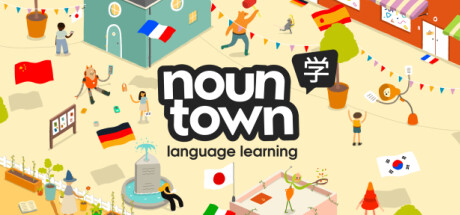
A 3D open world language learning game for 12 languages including Japanese, Spanish, French, German, Korean, Chinese, and more. Entirely single-player with no interaction between players, no chat, and no community features within the game. Your child explores a world and learns vocabulary through native speaker audio and speech recognition. Fully educational, completely safe. There is a free demo to try before buying.
View on Steam →
An engineering and space exploration simulation game where players design rockets and spacecraft and attempt to navigate a solar system. It is one of the most genuinely educational games ever made, covering physics, orbital mechanics, and engineering principles in an accessible and entertaining way. The single-player campaign has no multiplayer component and is suitable for ages 10 and up.
View on Steam →
A puzzle game built around spatial reasoning and physics. Widely considered one of the best games ever made for developing logical thinking. The single-player campaign is entirely safe and suitable for children aged around 10 and up. Note: Portal 2 does include a cooperative multiplayer mode. Stick to the single-player campaign and it presents no online safety risks.
View on Steam →
A farming simulation and life game with a gentle pace and no violence. Players manage a farm, build relationships with town characters, and explore a small world across the seasons. The single-player mode is calm, creative, and suitable for younger children. Stardew Valley does have an optional online multiplayer mode, so keep that disabled and stick to solo play.
View on Steam →There is no single right answer for when Steam is appropriate. What works depends on the individual child, the level of parental involvement, and which games are in the library. That said, here is a rough framework based on what tends to work in practice.
Under 10: Use a parent-managed account with Family View enabled. The library should be entirely made up of single-player titles that you have reviewed yourself. Community features should be fully disabled. Your child should only access Steam with you present or nearby.
Ages 10 to 13: Family View still makes sense. The game library can expand to age-appropriate PEGI 7 and some PEGI 12 titles, all single-player. Occasional conversations about online gaming, what communities look like, and how to handle seeing upsetting content are worth having at this age, even if your child is not yet accessing any multiplayer. It sets a foundation for later.
Ages 13 and up: Steam's own minimum age. At this point, supervised introduction to online features becomes more reasonable, starting with co-operative games with known friends rather than open multiplayer with strangers. Even at this age, it is worth establishing what appropriate online behaviour looks like and what to do if something goes wrong.
Steam is not designed for children, but it can be used safely by them with the right setup. The game content itself is not the main risk, because ratings work and adult content is hidden by default. The risks are in the social layer: multiplayer games, community features, and Discord links. Removing those risks means choosing single-player games, enabling Family View, and being aware of where Discord invites can lead.
The safest approach is to start with single-player educational games and treat them as the default rather than the exception. Steam has a number of genuinely good options in this space. The Noun Town language learning game is one of them, and it has the added benefit of teaching something real while your child plays. But whatever you choose, the most important factor is your involvement: knowing what is installed, playing it yourself, and keeping the conversation open.
Looking for a genuinely safe game to start with? Noun Town has a free demo on Steam.
Try Noun Town on SteamSteam can be made reasonably safe with the right game choices and parental controls. The biggest risks come from multiplayer games and community features, not game content itself. Choosing single-player titles and enabling Steam Family View removes most of the serious risks.
Steam's terms of service require users to be at least 13. For younger children, a parent-managed account with Family View enabled is the recommended approach. Many families use a shared parent account rather than creating a separate child account.
The three main risks are multiplayer game communities (abuse, harassment, contact from strangers), Steam Community features (public profiles, friend requests, forums), and Discord server links from game store pages leading to unmoderated chat communities.
Multiplayer games carry significant risks. Abuse, harassment, and toxic behaviour are common across online gaming communities, and they are difficult to prevent. The safest approach is to avoid multiplayer games entirely for younger children and choose single-player titles instead.
Steam Family View is a built-in parental control system. It lets you PIN-protect access to specific features and restrict your child to an approved game library. You can disable Community features, block store access, and prevent account changes. See our parental controls guide for setup instructions.
Yes, by default. Any Steam user can send friend requests to any other user, and profiles are public. Enabling Family View and disabling Community features prevents this. It is one of the most important settings to configure.
Discord is a chat platform, and many Steam games link to their Discord server from the store page. These servers vary enormously in quality. Some are well-moderated; many are not. Steam parental controls do not block Discord links. Always check a server yourself before your child joins it.
Yes. Noun Town is entirely single-player with no multiplayer, no in-game chat, and no player interaction of any kind. The content is educational and suitable for all ages. It is one of the genuinely safe options on Steam for younger children.
Look at the feature tags on the game's store page. Tags like "Online PvP," "Multiplayer," or "Online Co-op" mean online play is involved. Tags like "Single-player" and "No online features required" mean it is not. Always check before downloading.
Steam's own minimum age is 13. Younger children can use Steam safely through a parent-managed account with Family View and a single-player game library. For 13 and older, supervised access to online features can be introduced gradually, starting with cooperative play with known friends rather than open multiplayer with strangers.
Yes, for game content. Steam uses PEGI and ESRB ratings, the same systems used in retail. Ratings do not cover multiplayer interactions or external Discord communities, so use them as a guide for content only and check online features separately.
Yes. Many parents use a parent-owned Steam account with Family View enabled, rather than setting up a separate child account. The parent creates a PIN that locks the account to only approved games and features.
Adult content exists on Steam but is hidden by default. To see it, users must actively opt in and verify their age. With default settings, adult content does not appear in the store. Family View adds an additional layer by restricting store access entirely.
Single-player games rated PEGI 3, 7, or 12, with no online features and no in-game chat. Educational games, puzzle games, and simulation games tend to fit this description. Always verify the store page feature tags regardless of the rating shown.
Yes. Steam itself is free to download and free to use. Individual games are either purchased or free to play. There is no subscription fee for the platform itself.