
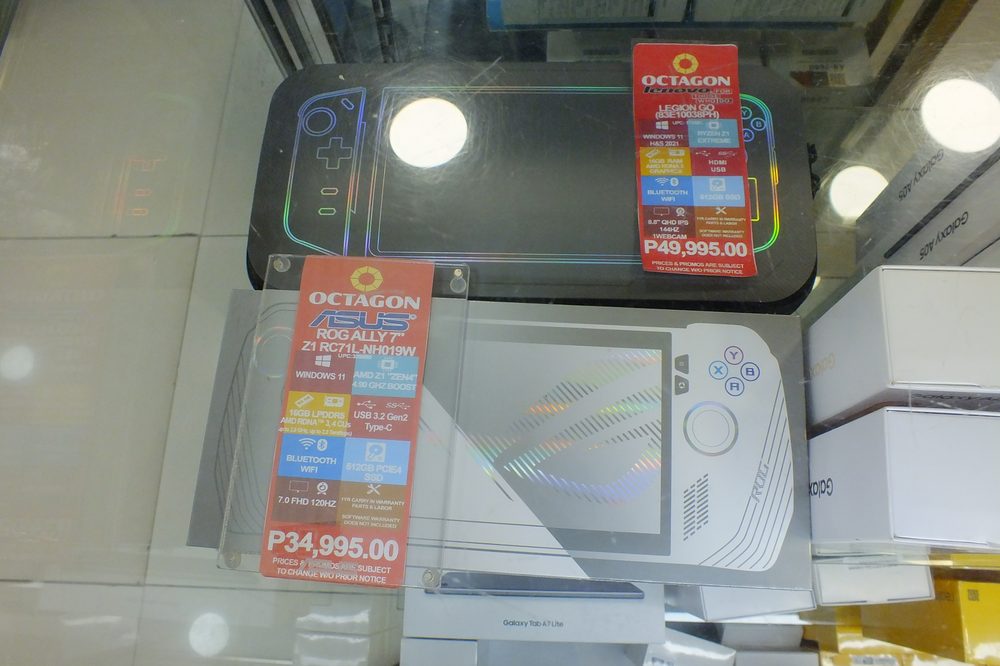
Photo: Wide Awake! / Wikimedia Commons (CC BY 4.0)
A handheld gaming PC is a battery-powered computer shaped like a game controller, running either SteamOS or Windows and able to install the same library of games as a desktop. The three most common options right now are Valve's Steam Deck (from $789), the ASUS ROG Xbox Ally (from around $599) and the Lenovo Legion Go (launched at $699). All three can run Steam games, including language and vocabulary titles, but they differ enough in setup, battery life and price that the right pick depends on who's actually going to use it.
Short answer: the Steam Deck is the simplest choice for a child or a first-time handheld buyer because SteamOS behaves like a closed console with Steam Families controls built in. The ROG Xbox Ally and Legion Go run full Windows, which gives more flexibility and sometimes more raw performance, but also more settings to manage. For lighter educational games specifically, battery life matters more than graphics power, and all three comfortably beat the 1.5 to 2 hours you'd get running a demanding 3D game.
A handheld gaming PC is different from a console like a Nintendo Switch in one important way: it's a full computer. A Switch runs its own closed software built specifically for Nintendo's store. A handheld PC runs SteamOS or Windows underneath, the same operating systems that power desktop computers, which means it can install software from Steam, and in the case of Windows-based models, other PC game stores too.
That distinction matters a lot for educational and language-learning games specifically. Most PC language-learning titles, vocabulary trainers and typing games are built for desktop first and never get a console version at all. A handheld PC is often the only way to play that whole category of game away from a desk, since a Switch or PlayStation simply can't install them.
The trade-off is battery life and heat. A full desktop operating system draws more power and runs warmer than the stripped-down software on a dedicated console, so handheld PCs tend to run shorter sessions on a single charge than a console built for the job. For light, less graphically demanding games this gap narrows considerably, which is one reason educational and word-based games are often a particularly good fit for this category of device.
These three show up most often in handheld PC buying guides, and for good reason: all three have been out long enough to have settled firmware, a decent library of tested games and a track record of software updates, rather than being a brand-new release with unknown long-term support.
Here's how the three most commonly recommended handheld PCs stack up on the basics that matter most for buying a first device:
| Device | Operating system | Starting price | Parental controls |
|---|---|---|---|
| Steam Deck (OLED) | SteamOS | $789 (512GB), $949 (1TB) | Steam Families, built in |
| ROG Xbox Ally | Windows | Around $599, Ally X around $899 | Windows Family Safety |
| Lenovo Legion Go | Windows | Launched at $699 | Windows Family Safety |
Prices on all three have shifted since launch. Component costs, particularly memory, rose across the handheld PC market in 2026, and the Steam Deck's own price increase this year was explicitly tied to that shortage, so it's worth checking current listings rather than assuming launch pricing still applies.
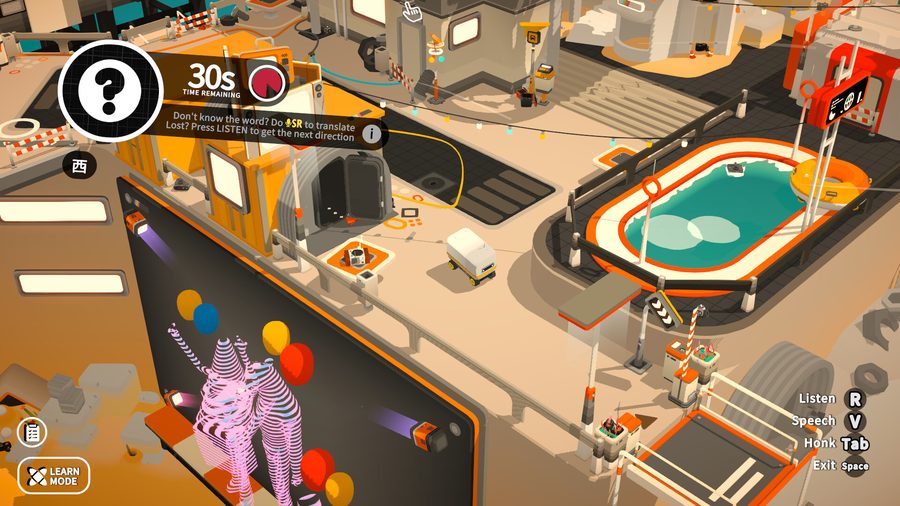
Screenshot from the Noun Town Steam store page, showing a timed vocabulary recall challenge
Raw performance gets most of the attention in handheld PC reviews, but it's rarely the deciding factor for educational games specifically, since most of them aren't graphically demanding. A few other things matter more in practice:
None of this means the more powerful devices are a bad choice. It just means the usual gaming benchmarks reviewers focus on, frame rates and graphics settings, aren't the numbers that decide whether a word game or language app feels good to use on one of these screens.
For the most part, no, not for games bought through Steam. The Steam Deck uses a compatibility layer called Proton to translate Windows-built games so they run on SteamOS, and Valve maintains a rating system showing which games work well. The ROG Xbox Ally and Legion Go skip that translation step entirely because they run Windows natively, so a Steam game installs on them exactly the way it would on a Windows laptop.
In practice this means the vast majority of Steam's catalogue works across all three devices, educational and language games included. Our own language learning game, Noun Town, is a PC and Mac title sold through Steam, so it installs and runs the same way on a Steam Deck, a ROG Xbox Ally or a Legion Go, with no extra setup needed on any of them.
The gap that does exist is narrow but real. A small number of PC games use anti-cheat software that doesn't support SteamOS, or require hardware the Deck doesn't have, like a webcam for certain VR titles. For single-player, non-competitive genres like language learning and vocabulary games, this almost never comes up, since there's nothing to cheat at and no hardware beyond a screen and a controller involved.
If the handheld is mainly for a child, a student new to PC gaming, or anyone who wants to pick it up and start playing without fiddling with settings, the Steam Deck's console-like SteamOS interface and built-in Steam Families controls make it the easier first purchase. It's also the only one of the three built by the same company that runs the Steam store itself, so software updates and store integration tend to be the most seamless.
If the household already has some comfort with Windows, or wants the flexibility to install other PC game stores and general software alongside Steam, the ROG Xbox Ally or Legion Go open up more options. That flexibility is genuinely useful for an older teenager or an adult learner who might also want to use the device for schoolwork, browsing or software outside of gaming, something the Steam Deck's more closed SteamOS environment doesn't support as easily.
Budget plays a role too. The ROG Xbox Ally's base model undercuts the Steam Deck's current starting price, which matters if a family is choosing a first handheld primarily to try out a handful of educational and language titles rather than committing to a long-term gaming device straight away. A free demo, where one's available, is a reasonable way to test comfort with the controls before deciding how much to spend on the hardware itself.
A tablet usually wins on battery life and simplicity for touch-based apps, and it's lighter to carry around. But a tablet's app store is a different catalogue entirely from Steam's, so PC-only educational titles, including most serious language-learning games, simply aren't available on one. A laptop can run the same Steam library a handheld PC can, but it isn't designed to be held and played with a controller for an hour on a sofa or in a car.
A handheld PC sits in the middle. It gives up some of the tablet's battery life and portability in exchange for access to a much bigger catalogue of PC-first educational software, plus physical controls that suit games needing more precise input than a touchscreen comfortably allows. For a household that already has a tablet for casual use and wants something specifically for deeper, PC-style learning games, a handheld PC fills a genuine gap rather than duplicating what's already covered.
Wikipedia's overview of the handheld game console category is a useful starting point if you want more background on how this hardware class developed, and the SteamOS page covers the technical side of how Proton compatibility actually works. If screen time for a child is part of the decision, the American Academy of Pediatrics publishes general media use guidance for families worth reading alongside any hardware comparison. Spaced repetition, the memory technique behind a lot of vocabulary games including Noun Town's own review system, also has a solid overview on Wikipedia if you're curious why short, repeated sessions work so well on hardware like this.
See how a language learning game plays with a controller. Try the free demo first.
Try Noun Town on SteamA handheld gaming PC is a small, battery-powered computer built into a controller-shaped case. Unlike a dedicated console, it runs a full desktop operating system, either SteamOS or Windows, so it can install and play the same library of games you'd buy for a desktop or laptop.
The current Steam Deck OLED models are priced at $789 for 512GB and $949 for 1TB, following a 2026 price increase tied to a global memory chip shortage. The older, cheaper LCD models have been discontinued.
ASUS and Microsoft launched the ROG Xbox Ally at around $599 for the base model, with the more powerful ROG Xbox Ally X priced at around $899. Both run full Windows rather than SteamOS.
The original Lenovo Legion Go launched at $699. Handheld PC pricing across the market has moved since then amid the same component cost pressures that pushed Steam Deck prices up in 2026, so it's worth checking current retailer listings before buying.
Yes, through a compatibility layer called Proton that translates most Windows game code to run on SteamOS. The vast majority of Steam's library, including Noun Town, works without any extra setup, though a small number of titles with anti-cheat software or VR requirements don't.
For the most part, yes, if the game is sold through Steam. The ROG Xbox Ally and Legion Go run Windows natively, so Steam games install the same way they would on any Windows laptop. The Steam Deck runs the same Steam library through SteamOS and Proton instead.
Lighter, less graphically demanding games like word and vocabulary games get noticeably longer sessions than demanding 3D titles on any of these devices, often 4 to 6 hours rather than 1.5 to 2. Exact runtime still depends on screen brightness and the specific chip inside each model.
A handheld PC gives you access to a much larger catalogue of PC-only educational and language-learning titles, plus physical controls that work well for games needing precise input. A tablet is usually lighter and has a longer battery life for simple touch-based apps.
Yes. Noun Town is a PC and Mac title sold through Steam, so it installs and runs on the Steam Deck, ROG Xbox Ally and Legion Go the same way it would on a desktop, with no extra setup required.
The Steam Deck is usually the simplest starting point because SteamOS is a closed, console-like interface with built-in Steam Families parental controls. The ROG Xbox Ally and Legion Go run full Windows, which is more flexible but has more settings for a new user, or a parent, to manage.