
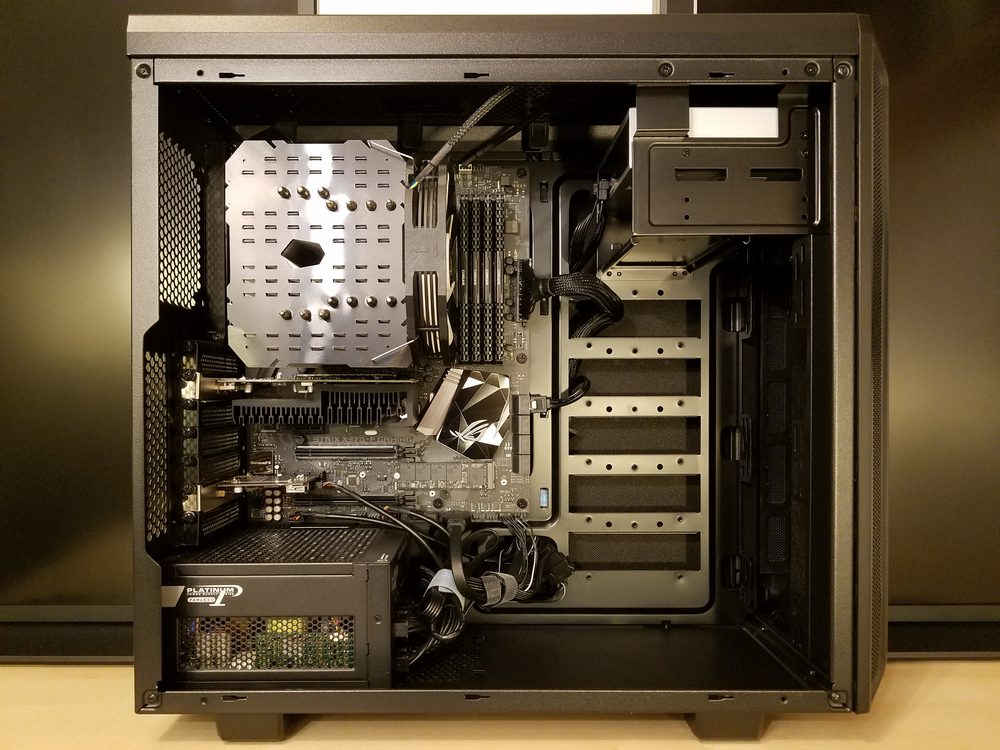
Photo: Bretwa / Wikimedia Commons (CC BY-SA 4.0)
System requirements are the list of hardware and software a game needs your computer to have before it will run properly, covering five things: your processor (CPU), graphics card (GPU), memory (RAM), free storage space, and operating system version. Every game sold on Steam lists two tiers on its store page, a minimum (the floor needed to launch and play, even if performance is rough) and a recommended tier (what the developer actually tested for a smooth experience). If you're buying a game for yourself, your kids, or as a gift and you don't own a dedicated gaming PC, this list can look intimidating, but for most non-action games the real bar is lower than people assume.
Short answer: System requirements are the minimum and recommended hardware a game needs, covering your CPU, GPU, RAM, storage, and operating system. Most laptops and desktops bought since around 2018 meet the minimum for lighter, stylized games. Noun Town, for example, asks for just 8 GB of RAM and a mid-range graphics card on Windows, or an Intel i5 / Apple M1 Mac with 4 GB of RAM.
Every game sold on Steam ships with a published list of hardware it was built and tested against. That list breaks down into five categories, and understanding what each one does takes the mystery out of the whole thing.
Steam shows this list, sometimes called a system requirement, on every store page, usually under a "System Requirements" tab near the bottom, split by platform if the game supports more than one.
These two tiers get confused constantly, and the distinction matters more than most people realise before buying.
As a real example, Noun Town's own Steam listing asks for an Intel Core i5-4590 or AMD FX 8350, 8 GB of RAM, and an NVIDIA GTX 1050 Ti or AMD Radeon RX 470 as its Windows minimum, climbing to a GTX 1060 or RX 480 for the recommended tier. On Mac, the minimum drops to an Intel Core i5 or Apple M1 with just 4 GB of RAM, since the game's stylized 3D world was never built to push either platform hard.
You don't need any extra software to see what your own machine is carrying. Both Windows and Mac have this built in.
Once you have these four or five numbers written down, comparing them against a game's store page takes under a minute.
A few terms show up on every requirements list and rarely get defined anywhere obvious.
A CPU, or processor, is often described as the "brain" of the computer. It runs the instructions behind everything the game is doing that isn't directly on screen: AI behaviour, physics, loading data, and so on. An older or weaker CPU shows up as stuttering or slow loading, even when the graphics themselves look fine.
A GPU, or graphics card, is a separate chip dedicated purely to drawing images fast enough to feel smooth. Some laptops only have "integrated" graphics built directly into the processor rather than a separate dedicated card. Integrated graphics are genuinely fine for lighter, stylized, or 2D-style games, but struggle with realistic, high-detail titles.
RAM is short-term, fast memory the game uses while it's actually running, completely separate from your hard drive or SSD's long-term storage. Running out of RAM while playing causes slowdown or crashes, not a "full drive" warning.
Storage is simply free disk space. Modern games, especially anything with high-resolution textures or voice audio, can take up tens of gigabytes, so this is worth checking before a long download rather than after.

A screenshot from the Noun Town Steam page, showing the kind of lightweight scene its lower system requirements are built around
Falling short of the minimum doesn't automatically mean a game is off the table. A few things are worth trying or checking first.
Requirements vary wildly across Steam's catalogue mostly because of art style, not genre alone. A photorealistic open-world game has to render detailed lighting, large draw distances, and complex physics simultaneously, which demands a strong GPU and CPU working together. A stylized, smaller-scale 3D world asks for a fraction of that same hardware, because there's simply less for the graphics card to calculate every frame.
This is part of why Noun Town, built as a 3D open-world language learning game rather than a graphically intensive action title, can run comfortably on hardware from the late 2010s. The game spends its processing budget on spaced repetition logic, speech recognition, and native speaker audio playback rather than on rendering effects most language learners would never notice anyway. It's a deliberate trade-off: a wider range of people, including students on older laptops or family desktops, can actually run it without upgrading anything first.
The same logic applies broadly across Steam's educational and narrative-driven catalogue. If a game isn't selling itself on visual spectacle, there's rarely a reason for its system requirements to be demanding, and checking the requirements tab before buying remains the fastest way to confirm that for any specific title.
Curious what a lighter-weight language game actually looks like?
Try Noun Town on SteamSteam system requirements are the hardware and software a game needs your computer to have to run, covering the processor, graphics card, memory, free storage space, and operating system version. Every game's store page lists them under a Minimum and a Recommended tier.
Minimum is the floor needed to launch and play at all, often with lower graphics settings or a less smooth frame rate. Recommended is what the developer actually tested for a comfortable experience at normal settings.
Open Settings, select System, then About. This screen shows your processor, installed RAM, and Windows version. Device Manager shows your graphics card under Display adapters.
Click the Apple menu in the top-left corner and select About This Mac. This shows your chip or processor, memory, and macOS version on one screen.
The CPU, or processor, handles the game's logic, physics, and background calculations. A weaker CPU can cause stuttering or slowdown even if your graphics card is strong enough.
The GPU, or graphics card, draws everything you see on screen. Many laptops only have integrated graphics built into the processor, which is enough for lighter, stylized games but struggles with demanding, realistic ones.
Most current games list 8 GB of RAM as the minimum and 16 GB as recommended, though lighter indie and educational titles often run comfortably on less.
Usually yes, the game should launch and run, but you may need to lower graphics settings and accept a less smooth frame rate than the recommended tier promises.
On Windows, Noun Town's minimum is an Intel Core i5-4590 or AMD FX 8350 equivalent, 8 GB of RAM, and an NVIDIA GTX 1050 Ti or AMD Radeon RX 470, with 3 GB of free storage. On Mac, it runs on an Intel Core i5 or Apple M1 with 4 GB of RAM.
Yes, Noun Town is available on Steam for both PC and Mac, with its own listed minimum requirements for each.