
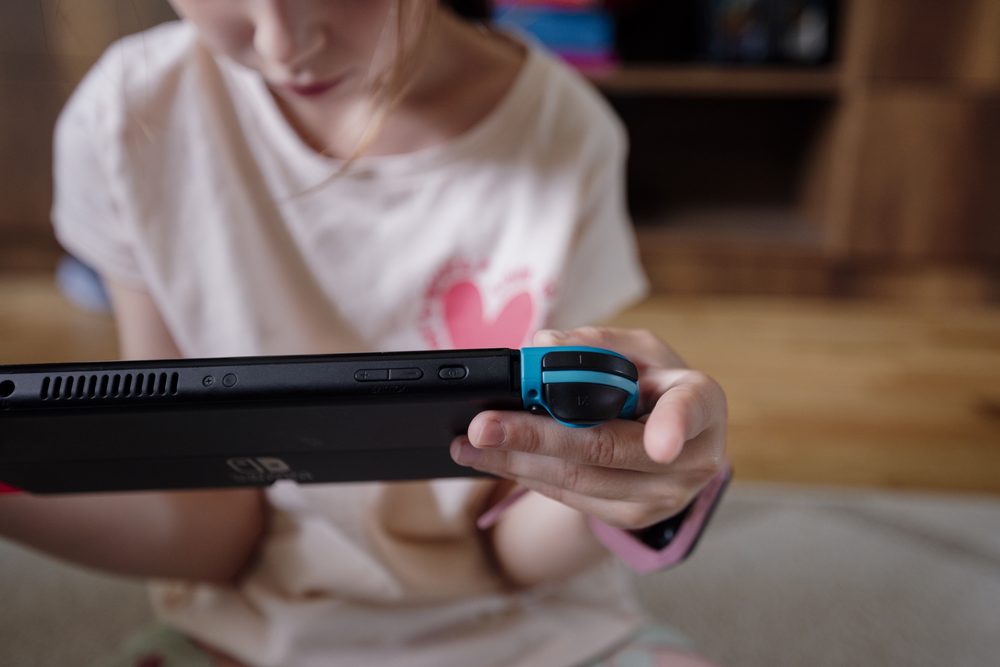
Photo: Shixart1985 / Wikimedia Commons (CC BY 2.0)
Steam Family Sharing is a free feature built into Steam that lets people in the same household share access to each other's game libraries, while keeping individual save files, achievements and progress separate. Valve rebuilt the system in 2024 under the name Steam Families, folding in the older Family View parental controls at the same time, so two tools that used to live in different menus now sit in one place. A Steam Family can hold up to six members, and any adult in it can set playtime limits, approve purchases before they happen, and control which games a child's account is allowed to open. None of it costs anything beyond the price of the games themselves.
Short answer: Steam Family Sharing, now called Steam Families, lets up to six people in a household share each other's game libraries while keeping their own saves and achievements separate. Parents get playtime limits, purchase approval and control over which games a child profile can open, all for free, and it replaces the older, separate Family Sharing and Family View systems.
For years, Steam ran two separate systems that both touched on family use. Family Sharing let you lend access to your game library to a handful of other accounts. Family View was a different, PIN-locked system aimed at restricting what a child could see and do on a shared computer. In 2024, Valve merged the two into a single feature called Steam Families, which is the version you'll actually find in your Steam settings today, even though a lot of people still search for it by the old "family sharing" name.
The core idea hasn't changed much. Once a family is set up, every member can see and install games from the combined library, as long as the owner hasn't marked a particular title private. What has changed is that each person keeps their own cloud saves, their own achievements, and their own installed Steam Workshop content, so sharing a library doesn't mean sharing progress. A parent finishing a story-driven game doesn't wipe out a kid's separate save in the same title, and vice versa.
It's also worth being clear about what this is not. It isn't a subscription service, and it isn't tied to a particular device like a console's family plan might be. It's an account-level setting inside Steam itself, available on the same free Steam account everyone already has, whether they're playing on a desktop PC, a laptop, or a Steam Deck.
The setup itself takes a few minutes and can be started from the Steam Client, the mobile app, or a browser. Here's the general flow:
A family can have up to six members total, including whoever set it up. Because it's tied to Steam accounts rather than to a specific PC, a member can join from any device where they're signed into their own Steam account, which matters for families where kids and parents don't always use the same computer.

Screenshot from the Noun Town Steam store page, showing the kind of one-time purchase game that fits well into a shared family library
Most games in a member's library are shared with the rest of the family automatically the moment they join, unless the owner has specifically flagged a title as private. That default surprises some people who expect sharing to be opt-in rather than opt-out, so it's worth going through your library once after setup and deciding what you'd rather keep to yourself.
Not every game qualifies, though. A handful of categories are excluded from sharing no matter what:
There's also a simultaneous-play limit that catches people out. Only one person can be actively playing a given copy of a game at any moment. If a parent and a child both want to play the same title at the same time, on separate devices, someone needs their own copy, since one shared copy only supports one active player.
This is the half of Steam Families that used to be called Family View, and it's genuinely useful for households with younger players. An adult member can restrict a child's profile to a specific approved list of games, rather than leaving the whole shared library open by default. Checking a game's ESRB rating before approving it for a child's list is a reasonable habit to build into that setup, since Steam itself doesn't enforce age gates the way a games console sometimes does.
Purchase approval works in a similar spirit. A child account can request a game or an in-game purchase, and that request goes to an adult in the family, who approves or declines it from their own phone or via email before anything is charged or added to the child's library. Nothing lands on a kid's account silently. Playtime limits and activity reports sit alongside this, letting a parent see roughly how long a child has been playing and cap it if needed, without having to hover over the screen themselves.
Steam Store browsing, community features, and chat can all be locked down further for a child profile too, which matters for families concerned about who a child might be talking to online, not just what they're playing. If you're setting any of this up for a younger child specifically, it's worth reading the FTC's guidance on children's online privacy alongside Steam's own settings, since the two cover slightly different ground: one is about what a platform can collect and share, the other is about what a child can see and buy.
A few restrictions exist specifically to stop Steam Families being used as a way to permanently pool game libraries between strangers, which is not really what the feature is built for. Valve is fairly upfront that it's designed for people who actually live together or are genuinely related, not a way to split the cost of a library with an online acquaintance.
That last point about shared bans is easy to overlook. It's a reasonable argument for keeping a Steam Family to people you'd trust with your own account standing, rather than someone you barely know. Guidance aimed at parents, such as the Federal Trade Commission's overview of kids and video games, makes a similar point about limiting who has access to a shared account or payment method in the first place.
For most households with more than one gamer, yes. The main saving is obvious: instead of buying separate copies of the same title for every family member, one purchase can cover everyone, as long as only one person is playing that copy at a time. Combined with the parental controls, it also means a parent doesn't have to choose between locking a child out of Steam entirely or handing over an unrestricted adult account.
It also pairs well with games that are a one-time purchase rather than a subscription. Our own language learning game is built this way on purpose. We used the big mobile language apps ourselves before making Noun Town, ran into the same ads and paywalled lesson tiers that frustrate a lot of learners, and heard the identical complaint from thousands of other players, so we built Noun Town as a single $19.99 purchase with nothing locked behind a subscription afterward. In a shared Steam Family, that means one purchase genuinely covers everyone in the house rather than triggering a separate recurring charge on each child's eventual account.
If you're not sure a particular game is the right fit for your family before buying it, checking whether it has a free demo on Steam is worth doing first, the same way you'd want a child to try before an adult approves the purchase through Family Sharing anyway. It's a smaller commitment than approving a full purchase blind.
Curious what a one-time purchase family game actually looks like? Try the free demo first.
Try Noun Town on SteamSteam Family Sharing is a free feature that lets people in the same household share access to each other's game libraries while keeping their own save files, achievements and progress separate. Valve rebuilt it in 2024 under the name Steam Families, which also folded in the older Family View parental controls.
Up to six people, including the adult who sets the family up. Each member gets access to the shared library, though the account holder can mark individual games as private to keep them out of the pool.
Open Steam, go to Settings, then Family, and choose Create a Steam Family. From there you invite members by email or by selecting existing Steam friends, and they join once they accept the invite from the Steam Client, the Steam mobile app, or a browser.
Not from a single shared copy. Only one person can be playing any given copy of a game at once. If two family members want to play the same title simultaneously, one of them needs to own a separate copy of it.
No. Setting up and running a Steam Family costs nothing beyond whatever you already pay for the games themselves. There is no subscription fee to unlock the sharing or parental control features.
A ban tied to a shared copy of a game can affect everyone who shares access to that copy, not just the account that triggered it. This is one reason Valve recommends only sharing with people you'd actually trust with your account standing, not casual acquaintances.
Yes, an adult member can remove anyone from the family at any time. Once removed, that slot has a one year cooldown before a new member can take it, and the removed member also has to wait a year before joining or starting another family.
Games that need a separate third-party account or subscription, purchased DLC for free-to-play titles, region-locked titles, games unsupported on another member's operating system, and any title a publisher has specifically opted out of sharing.
An adult member can restrict which games a child's account is allowed to open, set playtime limits, view activity reports, and require purchase approval before a child can add anything new to their library. Store browsing and community features can also be locked down. Checking a game's rating through a resource like Common Sense Media before approving it is a sensible extra step, since Steam itself doesn't enforce age gates automatically.
They used to be two separate systems. Family Sharing handled library access and Family View handled parental locks. Steam Families combined both into one place, so anyone setting this up today only has to configure one system rather than two.