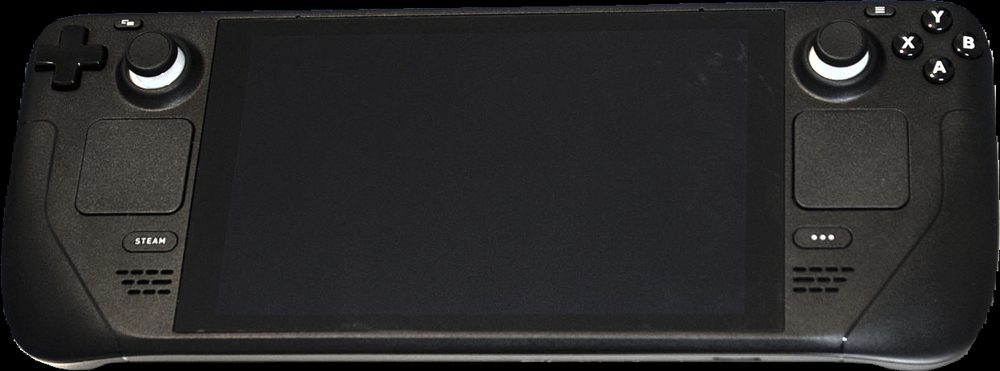
Photo: Liam Dawe / GamingOnLinux, via Wikimedia Commons (CC BY-SA 4.0)
Short answer: Steam Deck runs standard Steam library games, so any PC title that plays well with a gamepad works, including dedicated language learning games. Noun Town is a $19.99 one-time purchase covering 12 languages, runs on Steam Deck without special setup, and pairs native speaker audio with a spaced repetition review system so vocabulary practice fits naturally into handheld sessions on a sofa or during travel.
Steam Deck gets used for a lot of things beyond big-budget releases, and one of the more useful is squeezing in vocabulary practice somewhere more comfortable than a desk chair. A handheld with a real screen and physical controls opens up a different kind of session than a phone app does, longer, more immersive, and less likely to get interrupted by a notification from something unrelated.
Here is what actually matters if you are looking at Steam Deck as a language learning device, and where a dedicated language game fits into that picture.
On paper, a phone should win this comparison. It is always in your pocket, and most flashcard apps were designed for a small touchscreen from day one. But phones are also where every other notification lives, which makes sustained attention harder to hold onto for more than a couple of minutes at a time.
Steam Deck, by contrast, is a single-purpose device when you are holding it. There is no email badge fighting for attention, no messaging app one swipe away. That single-mindedness turns out to matter a lot for a subject like vocabulary, where longer, more absorbed sessions tend to produce better retention than the same total time split across a dozen short phone glances throughout the day.
Not every game marketed as educational actually teaches a language well, and not every normal PC game runs comfortably on Steam Deck's smaller screen and controller layout. A few things are worth checking before you commit.
Noun Town is a 3D open world game where you learn vocabulary by exploring, talking to characters and picking up words attached to objects and situations, an apple on a market stall, a shopkeeper's greeting, a street sign. Because it is a standard PC and Mac title on Steam, it runs on Steam Deck the same way any other Steam library game does, no separate handheld version or workaround needed.
Every word comes with native speaker audio, and there is a speech recognition feature so you can practise actually saying things out loud rather than just recognising them. Underneath all of it is a spaced repetition system quietly managing when each word comes back up for review, so you are not left guessing what to revisit.

Screenshot from the Noun Town Steam store page, showing the explorable open world
You can explore more about how the game is put together on the Noun Town language learning game page, and there is a free demo on Steam if you want to check performance and comfort on your own Steam Deck before buying.
Mobile language apps often lean on subscriptions, typically somewhere between $70 and $170 a year depending on the app and plan. Noun Town is a single $19.99 purchase covering all 12 supported languages, with no ads and nothing locked behind a further paywall once you own it. That pricing decision was deliberate. The team behind the game used the big mobile apps themselves first, found the ads and paywalled tiers frustrating, and heard the same complaint from thousands of other learners before building Noun Town the opposite way.
| Format | Typical cost | Best for |
|---|---|---|
| Mobile flashcard app | $0 to $170/yr | Short daily check-ins, anywhere |
| Noun Town on Steam Deck Best value | $19.99 one-time | Longer handheld sessions, no subscription |
| In-person tutoring | $20 to $60/hr | Conversation practice, grammar correction |
The learners who get the most out of a Steam Deck language game tend to treat it the way they treat any other handheld game session, picked up during downtime rather than scheduled like homework. A commute, a wait at an appointment, twenty minutes before bed instead of scrolling. Because there is no streak counter or daily quota to hit, missing a day does not undo anything. The spaced repetition system just adjusts and picks up where you left off.
If you are also using a phone app for quick reviews during the day, there is nothing wrong with running both. Many players do exactly that, treating Steam Deck sessions as the deeper, more immersive half of their practice and a lighter app as the quick top-up.
See how it plays with the free Steam demo, on desktop or Steam Deck.
Try Noun Town on SteamYes, particularly with a game purpose-built for it. A dedicated language learning game on Steam Deck can teach vocabulary through native speaker audio and spaced repetition the same way it does on desktop, just on a portable screen you can use on a sofa or during travel.
Yes. Noun Town is a PC and Mac title distributed through Steam, so it runs on Steam Deck without any special setup, since Steam Deck runs standard Steam library games.
Steam Deck has a larger screen and physical controls, which suit an open-world game better than a phone touchscreen. For quick flashcard-style apps a phone is often more convenient, but for a genuine 3D game, Steam Deck is the more comfortable option.
Look for native speaker audio, a spaced repetition system so review timing is handled for you, and controller-friendly menus, since not every PC game translates cleanly to Steam Deck's smaller screen and gamepad input.
Noun Town is a one-time purchase of $19.99, covering all 12 supported languages, with no subscription and no additional in-game purchases.
Noun Town supports Japanese, Korean, Mandarin Chinese, Spanish (Spain and Mexico), French, German, Italian, Russian, Greek, Egyptian Arabic and English.
Yes, Noun Town has a free demo on Steam that runs the same way on Steam Deck as the full game, so you can test performance and comfort on the device before buying.
No. There are no adverts and nothing locked behind a further paywall once you own the game, on Steam Deck or any other platform it runs on.
Sessions vary by player, but because the game is an explorable world rather than a lesson counter, many players report sessions naturally running 20 to 40 minutes or longer, well above the couple of minutes a typical mobile flashcard check-in takes.
Steam has a small but growing catalogue of language-focused titles alongside broader educational games. Availability and quality vary a lot, so it is worth checking recent Steam reviews for any specific title before buying, the same way you would for Noun Town.